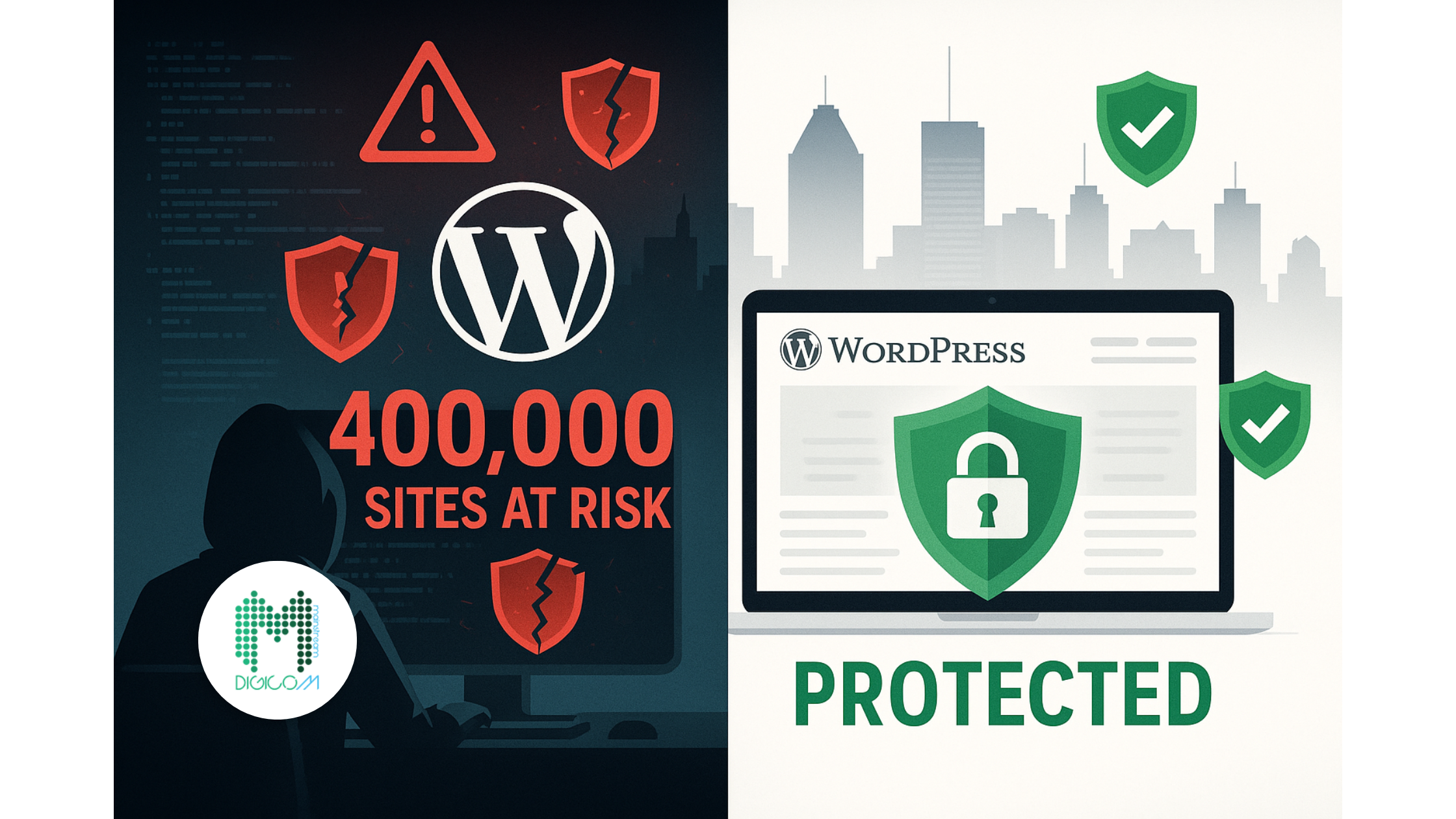
This WordPress Security Vulnerability: Plugin Mistake Is Putting 400,000 Websites at Risk
Picture this: It’s a typical Montreal morning, and you’re sipping your coffee at Café Olimpico on Saint-Viateur, checking your emails before the day begins. Suddenly, your phone buzzes with a frantic message from a long-time client. “My website is completely different! There are strange admin users I didn’t create, and I can’t access anything!” Your heart sinks as you realize what every web designer dreads most – one of your clients has fallen victim to a WordPress security vulnerability.
This scenario isn’t hypothetical anymore. A critical WordPress security vulnerability discovered in the Post SMTP plugin is currently putting over 400,000 websites at immediate risk of complete takeover. What makes this particularly terrifying for Montreal web designers is that this isn’t some obscure plugin used by a handful of sites – Post SMTP is one of the most popular email delivery plugins in the WordPress ecosystem, trusted by businesses ranging from small Plateau boutiques to major Quebec corporations.
The vulnerability, officially designated as CVE-2025-24000, represents a perfect storm of security failures that allows any registered user – even someone with the most basic subscriber account – to gain complete administrative control over affected websites. Security researchers at Patchstack discovered that attackers can exploit this WordPress security vulnerability to access sensitive email logs, view password reset emails for any user including administrators, and ultimately hijack entire websites with devastating consequences.
Here’s what makes this situation particularly urgent for Montreal’s web design community: despite the patch being available since June 11, 2025, less than half of the 400,000+ affected installations have been updated. This means over 200,000 WordPress sites remain vulnerable to immediate exploitation, and many of these sites likely belong to your clients or competitors’ clients throughout Montreal and Quebec.
As a professional web designer serving Montreal businesses, you have both an opportunity and a responsibility. Those who act quickly to protect their clients will not only prevent potential disasters but also demonstrate the kind of proactive expertise that builds lasting client relationships and referrals. Meanwhile, those who ignore this WordPress security vulnerability may find themselves dealing with compromised client sites, damaged professional reputations, and potentially serious legal liability issues.
The technical details of this vulnerability are both fascinating and terrifying. The Post SMTP plugin failed to implement proper authorization controls on several critical functions, essentially creating a backdoor that any authenticated user could exploit. When attackers gain access to email logs through this WordPress security vulnerability, they’re not just seeing generic system messages – they’re viewing the complete content of password reset emails, account activation messages, and other sensitive communications that can provide the keys to complete website takeover.
The Shocking Truth About This WordPress Security Vulnerability
The Post SMTP plugin vulnerability represents one of the most serious WordPress security vulnerabilities discovered in 2025, and its impact extends far beyond simple website defacement or temporary downtime. This broken access control issue, tracked as CVE-2025-24000, fundamentally undermines the security model that WordPress site owners rely on to protect their digital assets and customer data.
At its core, this WordPress security vulnerability exploits a fundamental flaw in how the Post SMTP plugin handles user permissions and data access. The plugin developers failed to implement proper authorization checks on several critical functions, creating a situation where any user with even the most basic account privileges can access administrative-level functionality. This isn’t a case of sophisticated hacking techniques or advanced persistent threats – this vulnerability can be exploited by anyone with basic web browsing skills and a subscriber-level account on the target website.
The technical mechanism behind this WordPress security vulnerability involves the plugin’s email logging and statistics functions. Post SMTP maintains detailed logs of all emails sent through the system, including the complete message content, recipient information, and delivery status. Under normal circumstances, only administrators should have access to this sensitive data. However, the vulnerability allows any authenticated user to bypass these restrictions and view the complete email history for the entire website.
What makes this particularly dangerous is the type of information typically found in these email logs. WordPress sites regularly send password reset emails, account activation messages, order confirmations, and other communications containing sensitive data. When attackers exploit this WordPress security vulnerability to access these logs, they’re essentially gaining access to a treasure trove of information that can be used for further attacks. Password reset emails are particularly valuable because they often contain temporary links or codes that can be used to gain administrative access to user accounts.
The exploitation process is disturbingly simple. An attacker only needs to create a basic user account on the target website – something that’s often possible through standard registration processes on many WordPress sites. Once authenticated, they can navigate to specific URLs within the Post SMTP plugin interface that should be restricted to administrators but aren’t properly protected due to the WordPress security vulnerability. From there, they can view email statistics, access complete email logs, and identify high-value targets like administrator accounts.
Security researchers at Patchstack, who coordinated the responsible disclosure of this WordPress security vulnerability, have confirmed that the flaw affects all versions of Post SMTP prior to version 3.3. The plugin’s widespread adoption – with over 400,000 active installations according to WordPress.org statistics – means that this single vulnerability potentially impacts more websites than many major data breaches combined. The scope of potential damage is staggering when you consider that each compromised site could contain customer data, business information, and access to connected systems and services.
The timeline of this WordPress security vulnerability disclosure follows responsible security practices, but it also highlights the ongoing challenges in WordPress ecosystem security. The flaw was initially discovered in May 2025 by an ethical security researcher who reported it through proper channels. The Post SMTP development team worked to create and test a patch, which was released as version 3.3 on June 11, 2025. However, the critical gap between patch availability and widespread adoption continues to leave hundreds of thousands of websites vulnerable to exploitation.
Current statistics from the WordPress.org plugin repository show that despite the patch being available for several weeks, less than half of the installations have been updated to the secure version. This update lag is unfortunately typical in the WordPress ecosystem, where many site owners and administrators don’t maintain regular update schedules or may not even be aware that critical security patches are available. For Montreal web designers managing multiple client sites, this represents both a significant risk and an opportunity to demonstrate professional value through proactive security management.
What Every Montreal Web Designer Needs to Know
The Post SMTP WordPress security vulnerability creates unique challenges and opportunities for Montreal’s web design community that extend far beyond simple technical remediation. As a professional serving businesses throughout Quebec, you’re operating in a complex environment that includes bilingual requirements, specific provincial privacy regulations, and a diverse economic landscape ranging from traditional industries to cutting-edge technology startups.
Understanding your professional liability in this situation is crucial. When clients hire web design services in Montreal, they’re not just purchasing aesthetic improvements or functional enhancements – they’re entrusting their digital presence and often their business reputation to your expertise. A WordPress security vulnerability that results in website compromise can have devastating consequences for client businesses, and the legal and professional implications for web designers who fail to address known security risks are becoming increasingly serious.
Quebec’s privacy legislation, including the Act Respecting the Protection of Personal Information in the Private Sector, creates additional compliance requirements that many web designers may not fully appreciate. When a WordPress security vulnerability leads to unauthorized access to customer data, email communications, or business information, the resulting privacy breach can trigger mandatory reporting requirements and potential regulatory penalties. As the professional responsible for website security, you could find yourself in the uncomfortable position of explaining to clients and regulators why known vulnerabilities weren’t addressed promptly.
The competitive landscape in Montreal’s web design market makes proactive security management a significant differentiator. While many agencies focus primarily on visual design and basic functionality, those who demonstrate expertise in WordPress security vulnerability assessment and remediation can command premium pricing and build stronger client relationships. Clients who experience security incidents often become extremely loyal to the professionals who help them recover and prevent future problems, creating opportunities for expanded service offerings and long-term retainer agreements.
Montreal’s unique business environment also creates specific risk profiles that web designers should understand when assessing WordPress security vulnerability impacts. The city’s strong tourism and hospitality sector means many client websites handle sensitive customer information including payment data and personal details. E-commerce sites serving both French and English markets often have complex user management systems that can be particularly vulnerable to the type of access control flaws found in the Post SMTP plugin. Professional service providers including law firms, medical practices, and financial advisors have especially stringent security requirements that make WordPress security vulnerability management a critical service component.
The bilingual nature of many Montreal websites adds another layer of complexity to WordPress security vulnerability management. Sites that serve both French and English audiences often have more complex user management systems, multiple administrator accounts, and integrated email systems that could be particularly vulnerable to the Post SMTP exploit. Understanding how to secure these multilingual environments while maintaining functionality requires specialized expertise that can become a valuable service offering.
Local business networking in Montreal’s tight-knit professional community means that security incidents can have amplified reputational impacts. Word travels quickly through organizations like the Montreal Board of Trade or industry-specific associations, and web designers who are associated with preventable security breaches may find their professional reputation damaged across multiple client segments. Conversely, those who proactively identify and address WordPress security vulnerabilities often benefit from strong word-of-mouth referrals and enhanced professional credibility.
The 8 Critical Steps to Protect Your Clients’ WordPress Sites
1. Immediate Emergency Assessment: Is Your Client Already Compromised?
The first and most critical step in addressing this WordPress security vulnerability is conducting an immediate assessment to determine whether your clients’ websites have already been compromised. This assessment must be thorough, systematic, and documented to ensure you don’t miss signs of exploitation while also creating a record of your professional due diligence.
Begin by accessing each client’s WordPress admin dashboard and reviewing the user accounts section. Look for any user accounts that weren’t created by authorized personnel, paying particular attention to accounts with administrative privileges that your client doesn’t recognize. Attackers exploiting this WordPress security vulnerability often create new administrator accounts to maintain persistent access even if the original vulnerability is patched. Check the registration dates of suspicious accounts – any accounts created recently that coincide with the vulnerability disclosure timeline should be treated as potentially malicious.
Next, examine the email logs within the Post SMTP plugin interface if it’s installed on your client’s site. Look for unusual patterns in email activity, including emails sent to addresses your client doesn’t recognize or emails with suspicious subject lines that might indicate unauthorized password reset attempts or account creation activities. The WordPress security vulnerability specifically allows access to these email logs, so evidence of unauthorized viewing or manipulation may be visible in the plugin’s activity records.
Review your client’s website content for any unauthorized changes, including new pages, modified existing content, or altered navigation structures. Attackers who successfully exploit this WordPress security vulnerability often use their administrative access to modify website content for SEO spam, phishing campaigns, or other malicious purposes. Pay particular attention to hidden or low-visibility pages that might contain malicious content designed to avoid immediate detection.
Consider the case of Boutique Élégance, a high-end fashion retailer on Rue Saint-Denis that discovered their WordPress site had been compromised through this exact vulnerability. The initial signs were subtle – a few customer complaints about receiving password reset emails they hadn’t requested, and some unusual activity in their Google Analytics showing traffic to pages that didn’t exist. When we conducted a thorough assessment, we discovered that attackers had been accessing their email logs for over two weeks, had created three unauthorized administrator accounts, and had begun injecting hidden spam content into their product pages. The early detection and rapid response prevented what could have been a devastating breach of customer data and a complete loss of search engine rankings.
Check your client’s hosting account for any unusual file modifications or new files that shouldn’t exist. Attackers exploiting WordPress security vulnerabilities often upload additional malicious scripts or backdoor files to maintain access even after the original vulnerability is patched. Use file integrity monitoring tools or manual comparison against known good backups to identify any unauthorized changes to the WordPress installation.
Review server access logs if available to identify any suspicious login attempts or unusual access patterns that might indicate exploitation of the WordPress security vulnerability. Look for multiple failed login attempts followed by successful logins, access from unusual geographic locations, or login activity during times when authorized users wouldn’t normally be accessing the site.
Document everything you discover during this assessment process. Create detailed reports for each client site that include screenshots of suspicious user accounts, copies of unusual email logs, and records of any unauthorized content or file modifications. This documentation serves multiple purposes: it provides evidence for potential legal or insurance claims, creates a baseline for measuring remediation success, and demonstrates your professional thoroughness to clients who may be concerned about their website security.
2. Urgent Plugin Update Protocol
Once you’ve completed the initial assessment, the next critical step is implementing a systematic plugin update protocol that addresses the immediate WordPress security vulnerability while minimizing the risk of introducing new problems through the update process. This protocol must be executed carefully because plugin updates, while necessary, can sometimes cause compatibility issues or functionality problems that could impact client business operations.
Before making any changes to live client websites, create complete backups of both the website files and the database. This backup should include not just the WordPress installation but also any custom configurations, uploaded media files, and third-party integrations that might be affected by plugin updates. Store these backups in a secure location separate from the hosting environment to ensure they remain accessible even if the website is completely compromised.
Test the Post SMTP plugin update in a staging environment before applying it to the live website. Create an exact copy of the client’s website in a development environment and update the Post SMTP plugin to version 3.3 or later. Test all email functionality to ensure that the update doesn’t break existing email delivery systems, contact forms, or automated notifications that the client’s business depends on. This testing phase is particularly important for Montreal businesses that may have complex bilingual email templates or integration with Quebec-specific business systems.
When you’re confident that the update won’t cause functionality problems, schedule the live website update during a low-traffic period to minimize the impact on client business operations. Communicate with your client about the update schedule and ensure they understand why this WordPress security vulnerability requires immediate attention. Many Montreal business owners may not fully appreciate the urgency of security updates, so clear communication about the risks and benefits is essential for maintaining client trust and cooperation.
Apply the Post SMTP plugin update and immediately test all email-related functionality on the live website. Send test emails through contact forms, verify that automated notifications are working correctly, and confirm that any e-commerce or membership site email functions are operating normally. This immediate post-update testing helps identify and resolve any problems before they impact real customer interactions.
Consider the experience of Café Brûlerie du Plateau, a popular coffee roaster that relies heavily on their WordPress website for online orders and customer communications. When we discovered they were running a vulnerable version of Post SMTP, we had to coordinate the update carefully because their email system handles hundreds of order confirmations and shipping notifications daily. We created a comprehensive staging environment that replicated their entire e-commerce workflow, tested the plugin update thoroughly, and then executed the live update during their lowest-traffic period at 3 AM on a Tuesday. The careful planning paid off – the update resolved the WordPress security vulnerability without causing any disruption to their business operations.
After successfully updating the plugin, implement additional monitoring to ensure that the WordPress security vulnerability has been fully addressed and that no new issues have been introduced. Monitor email delivery rates, check for any error messages in the WordPress admin dashboard, and verify that all automated email functions continue to work as expected. This ongoing monitoring is particularly important in the days immediately following the update when any compatibility issues are most likely to manifest.
Document the entire update process for each client, including the backup procedures, testing results, update timeline, and post-update verification steps. This documentation serves as proof of your professional diligence and can be valuable for client reporting, insurance purposes, or future security audits. It also creates a template that can be used for future WordPress security vulnerability remediation efforts.
3. User Account Security Audit
Conducting a comprehensive user account security audit is essential for addressing the full scope of this WordPress security vulnerability and preventing future exploitation attempts. The Post SMTP vulnerability specifically allows unauthorized users to escalate their privileges and access sensitive information, making a thorough review of all user accounts and their permissions a critical security measure.
Start by generating a complete list of all user accounts on each client’s WordPress website, including their usernames, email addresses, registration dates, and current role assignments. Pay particular attention to any accounts with administrator or editor privileges, as these represent the highest-value targets for attackers exploiting WordPress security vulnerabilities. Review the registration dates carefully – any accounts created around the time of the vulnerability disclosure or during periods of unusual website activity should be investigated thoroughly.
Examine each user account for signs of compromise or unauthorized access. Look for accounts with suspicious usernames that don’t match your client’s naming conventions, email addresses from domains that seem unrelated to the business, or accounts with privileges that seem excessive for their intended purpose. The WordPress security vulnerability allows attackers to view email logs, which means they may have identified and targeted specific high-privilege accounts for takeover attempts.
Implement a systematic password reset process for all user accounts, starting with administrator and editor accounts that have the highest level of access. Don’t rely on users to reset their own passwords – many people reuse passwords across multiple accounts or choose weak passwords that can be easily compromised. Instead, generate strong, unique passwords for each account and deliver them to users through secure channels that don’t rely on the potentially compromised email system.
Review and optimize user role assignments to implement the principle of least privilege. Many WordPress sites have users with more permissions than they actually need, creating unnecessary security risks when WordPress security vulnerabilities are exploited. For example, users who only need to publish blog posts don’t need administrator access, and customer service representatives who only need to view orders don’t need full e-commerce management privileges.
Consider the case of Cabinet Juridique Montréal, a law firm with offices in Old Montreal that discovered their WordPress site had been compromised through this exact vulnerability. During our user account audit, we found that their previous web developer had created multiple administrator accounts for different staff members, including several for employees who had left the firm months earlier. Attackers had compromised one of these dormant accounts and were using it to access sensitive client communication logs. We implemented a complete user account overhaul, removing unnecessary accounts, reducing privilege levels for most users, and implementing a formal account management process that prevents similar problems in the future.
Implement two-factor authentication for all accounts with administrative privileges. While this doesn’t directly address the current WordPress security vulnerability, it provides an additional layer of protection that can prevent account takeover even if passwords are compromised through other means. Choose a two-factor authentication solution that works well for your Montreal clients, considering factors like smartphone adoption rates and technical comfort levels among different user groups.
Create a formal user account management policy for each client that includes procedures for creating new accounts, modifying existing accounts, and removing accounts when employees leave or change roles. This policy should also include regular audit schedules to ensure that user permissions remain appropriate over time. Many WordPress security vulnerabilities are exploited through accounts that have accumulated excessive privileges over time or accounts that should have been removed but weren’t.
Document the entire user account audit process and maintain ongoing records of all user accounts and their permissions. This documentation should include the rationale for each user’s privilege level, the date of their last password reset, and any security incidents or concerns associated with their account. Regular review of this documentation helps identify patterns that might indicate security problems and ensures that user account management remains a priority rather than an afterthought.
4. Email Log Security Review
The Post SMTP WordPress security vulnerability specifically targets email logs and statistics, making a thorough review of email-related data exposure a critical component of your security response. This review must go beyond simply checking for unauthorized access – you need to understand what information may have been exposed and take appropriate steps to mitigate any potential damage.
Begin by accessing the Post SMTP plugin’s email log interface and reviewing the types of information that have been stored and potentially exposed. Email logs typically contain the complete content of messages sent through the system, including password reset emails, account activation messages, order confirmations, and other communications that may contain sensitive business or customer information. The WordPress security vulnerability allows any authenticated user to access this data, so you must assume that any information in these logs may have been compromised.
Pay particular attention to password reset emails in the logs, as these represent the most immediate security risk. Attackers exploiting this WordPress security vulnerability often look for password reset emails containing temporary links or verification codes that can be used to gain access to user accounts. Review the timestamps on these emails and cross-reference them with any suspicious user account activity you discovered during your user audit. If you find evidence that password reset emails were accessed by unauthorized users, you must assume that the associated accounts have been compromised.
Examine order confirmation emails and customer communication logs for any exposure of sensitive customer information. Many Montreal businesses use their WordPress sites for e-commerce or customer service, and email logs may contain credit card information, personal addresses, or other data that could be used for identity theft or fraud. While the WordPress security vulnerability doesn’t directly expose payment processing systems, the information in email logs could provide attackers with enough data to conduct social engineering attacks or attempt to compromise customer accounts on other systems.
Consider the situation faced by Pharmacie Familiale Montréal, a local pharmacy that uses their WordPress website to manage prescription refill requests and customer communications. When we reviewed their Post SMTP email logs after discovering the WordPress security vulnerability, we found that the logs contained detailed prescription information, customer addresses, and insurance details that had been sent through automated email notifications. The potential exposure of this protected health information created serious regulatory compliance concerns that required immediate notification to relevant authorities and affected customers.
Review any automated email sequences or marketing campaigns that may have been logged by the Post SMTP plugin. Many Montreal businesses use WordPress sites to manage email marketing campaigns, and these logs may contain customer segmentation data, purchasing behavior information, or other business intelligence that could be valuable to competitors or malicious actors. Understanding the full scope of potentially exposed information helps you develop appropriate response strategies and client communication plans.
Check for any evidence of email manipulation or unauthorized sending activity that might indicate active exploitation of the WordPress security vulnerability. Look for emails sent to addresses that your client doesn’t recognize, messages with suspicious subject lines or content, or unusual patterns in email delivery that might indicate automated attacks or spam campaigns. Attackers who gain access to email systems often use them to conduct phishing attacks or distribute malware to the compromised site’s contact lists.
Implement immediate measures to secure any sensitive information that may have been exposed through the WordPress security vulnerability. This might include forcing password resets for customers whose reset emails were potentially compromised, notifying customers about potential data exposure where required by privacy regulations, or implementing additional monitoring for accounts that may have been targeted based on information found in email logs.
Document the entire email log review process and maintain records of any potentially compromised information. This documentation is essential for regulatory compliance, insurance claims, and client communication. It also provides a baseline for measuring the effectiveness of your remediation efforts and helps identify patterns that might indicate ongoing security problems.
5. Comprehensive Security Plugin Implementation
Implementing a robust security plugin solution is essential for protecting your clients’ WordPress sites from this vulnerability and future security threats. However, security plugin selection and configuration requires careful consideration of each client’s specific needs, technical environment, and business requirements to ensure maximum protection without interfering with normal website operations.
Evaluate the leading WordPress security plugins including Wordfence, Sucuri, MalCare, and All-In-One WP Security to determine which solution best fits each client’s needs. Consider factors like the client’s technical sophistication, budget constraints, hosting environment compatibility, and specific security requirements based on their industry and business model. Montreal businesses serving both French and English markets may have unique requirements that affect plugin selection, such as compatibility with multilingual content management systems or integration with Quebec-specific business applications.
Wordfence offers comprehensive malware scanning, firewall protection, and real-time threat intelligence that can help prevent exploitation of WordPress security vulnerabilities like the Post SMTP flaw. The plugin’s live traffic monitoring capabilities are particularly valuable for detecting unauthorized access attempts and unusual user behavior that might indicate ongoing attacks. However, Wordfence can be resource-intensive on shared hosting environments, which may be a consideration for smaller Montreal businesses with limited hosting budgets.
Sucuri provides cloud-based security services that include malware removal, DDoS protection, and website firewall capabilities that operate at the DNS level rather than on the WordPress installation itself. This approach can provide better performance and more comprehensive protection, but it requires DNS configuration changes that some clients may find intimidating. Sucuri’s incident response services are particularly valuable for businesses that have already been compromised and need professional remediation assistance.
MalCare focuses on automated malware detection and removal with a user-friendly interface that makes it accessible to less technical clients. The plugin’s staging environment capabilities are particularly useful for testing security updates and plugin changes before applying them to live websites. MalCare’s automated backup and restore features can also provide valuable protection against data loss during security incidents.
Consider the implementation experience at Bistro Le Plateau, a popular restaurant that had been struggling with recurring malware infections on their WordPress website. After discovering they were vulnerable to the Post SMTP security flaw, we implemented a comprehensive Wordfence installation that included real-time firewall protection, scheduled malware scans, and two-factor authentication for all administrative accounts. The security plugin not only protected against the immediate WordPress security vulnerability but also identified and blocked several ongoing attack attempts that had been targeting their reservation system and customer database.
Configure the selected security plugin to address the specific risks associated with the Post SMTP WordPress security vulnerability. This includes implementing user access monitoring to detect unauthorized privilege escalation attempts, email security scanning to identify suspicious outbound messages, and file integrity monitoring to detect unauthorized changes to plugin files or WordPress core components. Many security plugins offer specific protection against the types of access control vulnerabilities that make the Post SMTP flaw possible.
Implement regular security scanning schedules that can detect new vulnerabilities and security threats as they emerge. Configure the security plugin to perform daily malware scans, weekly vulnerability assessments, and monthly comprehensive security audits that include user account reviews and plugin update status checks. Automated scanning helps ensure that security remains a priority even as other business demands compete for attention.
Set up security monitoring and alerting systems that can notify you immediately when potential security incidents are detected. Configure alerts for failed login attempts, new user account creation, plugin installations or updates, and any other activities that might indicate unauthorized access or exploitation attempts. Rapid notification enables faster response times and can help prevent minor security incidents from escalating into major breaches.
Train your clients on how to interpret and respond to security plugin alerts and reports. Many Montreal business owners are not technically sophisticated and may not understand the significance of security warnings or recommendations. Provide clear documentation and training that helps them recognize genuine security threats and understand when they need to contact you for professional assistance.
6. Access Control and User Management Overhaul
Implementing comprehensive access control and user management improvements is crucial for preventing future exploitation of WordPress security vulnerabilities and maintaining long-term website security. The Post SMTP vulnerability specifically exploits weak access controls, making this area a priority for remediation efforts.
Develop a formal user access policy for each client that defines who should have access to different areas of the WordPress website and what level of permissions are appropriate for each role. This policy should be based on the principle of least privilege, ensuring that users only have the minimum access necessary to perform their job functions. Many WordPress sites accumulate user accounts over time without proper oversight, creating unnecessary security risks when vulnerabilities like the Post SMTP flaw are discovered.
Implement role-based access control that aligns with your client’s organizational structure and business processes. WordPress provides several built-in user roles including Administrator, Editor, Author, Contributor, and Subscriber, but many sites benefit from custom roles that more precisely match their specific needs. For example, a Montreal e-commerce site might need separate roles for inventory managers, customer service representatives, and marketing staff, each with different access permissions.
Review and optimize user registration processes to prevent unauthorized account creation that could be exploited through WordPress security vulnerabilities. Many sites allow open user registration without proper verification or approval processes, creating opportunities for attackers to create accounts that can then be used to exploit access control flaws. Implement email verification, manual approval processes, or other controls that ensure only legitimate users can create accounts.
Consider the access control overhaul implemented at Services Techniques Montréal, an HVAC company that discovered their WordPress site had multiple security vulnerabilities including the Post SMTP flaw. Their original setup allowed any visitor to create user accounts, and most employees had administrator access regardless of their actual job responsibilities. We implemented a comprehensive role-based access system that included separate roles for technicians who only needed to update service reports, office staff who managed scheduling and customer communications, and managers who needed access to financial and operational data. The new system reduced the attack surface significantly while actually improving workflow efficiency.
Implement strong authentication requirements that go beyond simple username and password combinations. Two-factor authentication should be mandatory for all accounts with administrative privileges, and consider implementing additional security measures like IP address restrictions for high-privilege accounts or time-based access controls that limit when certain accounts can be used. These measures provide additional protection even when WordPress security vulnerabilities are successfully exploited.
Create formal procedures for account lifecycle management including account creation, modification, and termination processes. Many security incidents occur because former employees retain access to systems they no longer need, or because temporary accounts created for specific projects are never properly removed. Implement regular access reviews that ensure user permissions remain appropriate and that dormant accounts are identified and removed promptly.
Establish monitoring and auditing systems that track user access patterns and identify unusual behavior that might indicate compromised accounts or exploitation of WordPress security vulnerabilities. Log all administrative actions, monitor login patterns for anomalies, and implement alerting systems that notify you when suspicious activity is detected. This monitoring is particularly important in the weeks following security incidents when attackers may attempt to regain access through previously compromised accounts.
Document all access control policies and procedures to ensure consistency and enable effective training of new users. This documentation should include clear explanations of why certain restrictions are in place, how to request access changes when business needs evolve, and what to do when security incidents are suspected. Regular review and updating of this documentation helps ensure that access controls remain effective as business requirements and security threats evolve.
7. Ongoing Security Monitoring and Maintenance
Establishing comprehensive ongoing security monitoring and maintenance procedures is essential for protecting your clients’ WordPress sites from future vulnerabilities and ensuring that security remains a priority rather than a one-time fix. The Post SMTP WordPress security vulnerability demonstrates how quickly new threats can emerge and how important it is to have systems in place for rapid detection and response.
Implement automated vulnerability scanning that regularly checks for new security threats affecting WordPress core, plugins, and themes. Many security services provide feeds of newly discovered vulnerabilities, and automated scanning tools can check your clients’ sites against these databases to identify potential risks before they’re actively exploited. Configure these scans to run daily for critical sites and weekly for lower-risk installations, with immediate alerting when high-severity vulnerabilities are discovered.
Establish a systematic plugin and theme update management process that balances security needs with stability requirements. Create testing procedures that allow you to evaluate updates in staging environments before applying them to live sites, and maintain update schedules that ensure critical security patches are applied promptly while minimizing the risk of introducing functionality problems. The Post SMTP vulnerability demonstrates the importance of rapid updates, but hasty updates without proper testing can create their own problems.
Set up comprehensive monitoring systems that track website performance, security events, and user activity patterns to identify potential security incidents before they cause significant damage. Monitor metrics like failed login attempts, unusual traffic patterns, unexpected file modifications, and changes in search engine rankings that might indicate security compromises. Early detection enables faster response and can prevent minor incidents from escalating into major breaches.
Consider the monitoring system implemented for Innovation Lab Montréal, a technology incubator that manages WordPress sites for dozens of startup companies. After the Post SMTP vulnerability was discovered, we implemented a centralized monitoring system that tracks security events across all their client sites, automatically applies critical security updates after testing, and provides real-time alerting when potential threats are detected. The system has prevented several security incidents and has become a valuable service offering that differentiates them from competitors.
Create regular security audit schedules that include comprehensive reviews of user accounts, plugin installations, security configurations, and access logs. These audits should be conducted quarterly for high-risk sites and annually for lower-risk installations, with additional audits triggered by significant security events or changes in business requirements. Document all audit findings and track remediation efforts to ensure that identified problems are actually resolved.
Develop incident response procedures that define how to respond when WordPress security vulnerabilities or active attacks are detected. These procedures should include immediate containment steps, evidence preservation requirements, client communication protocols, and recovery processes that minimize business disruption while ensuring thorough remediation. Having well-defined procedures enables faster and more effective responses when security incidents occur.
Implement backup and recovery systems that provide reliable protection against data loss during security incidents. Regular backups should be stored in secure, off-site locations and tested periodically to ensure they can be successfully restored when needed. Consider implementing automated backup systems that create daily incremental backups and weekly full backups, with retention periods that provide adequate recovery options without consuming excessive storage resources.
Provide ongoing security education and training for your clients to help them recognize and respond appropriately to security threats. Many WordPress security vulnerabilities are exploited through social engineering attacks that target non-technical users, and educated clients are much less likely to fall victim to these tactics. Regular training sessions, security newsletters, and incident debriefings help maintain security awareness and reinforce the importance of following established security procedures.
8. Emergency Response Plan Development
Developing comprehensive emergency response plans is crucial for minimizing the impact of WordPress security vulnerabilities and ensuring rapid recovery when security incidents occur. The Post SMTP vulnerability demonstrates how quickly situations can escalate from minor concerns to major business disruptions, making prepared response procedures essential for professional web design services.
Create detailed incident response procedures that define roles and responsibilities during security emergencies. Identify who will lead the response effort, who will communicate with clients and stakeholders, who will handle technical remediation tasks, and who will manage documentation and evidence preservation. Clear role definitions prevent confusion and delays during high-stress situations when rapid response is critical for minimizing damage.
Develop communication templates and procedures for notifying clients about WordPress security vulnerabilities and active security incidents. These communications must balance the need for transparency and urgency with the importance of avoiding panic or premature public disclosure that could worsen the situation. Create separate templates for different types of incidents, different client sophistication levels, and different stages of the response process.
Establish technical response procedures that can be implemented quickly when WordPress security vulnerabilities are actively exploited. These procedures should include immediate containment steps like disabling compromised user accounts or taking sites offline if necessary, evidence preservation techniques that maintain forensic integrity while enabling investigation, and systematic remediation processes that address both the immediate threat and underlying vulnerabilities.
Consider the emergency response experience at Créatif Marketing, a Montreal advertising agency that discovered their WordPress site was being actively exploited through the Post SMTP vulnerability during a major client campaign launch. Our emergency response plan enabled us to contain the breach within 30 minutes, preserve evidence for potential legal action, restore the site from clean backups, and implement additional security measures to prevent reoccurrence. The rapid response prevented what could have been a devastating loss of client confidence and campaign effectiveness.
Create business continuity procedures that enable clients to maintain essential operations even when their primary WordPress sites are compromised or offline. This might include backup communication methods, alternative website hosting arrangements, or temporary landing pages that can be deployed quickly during extended outages. Many Montreal businesses depend heavily on their websites for customer communications and sales, making business continuity planning essential for minimizing financial impact.
Develop evidence preservation and documentation procedures that support potential legal action, insurance claims, or regulatory reporting requirements. Security incidents involving WordPress security vulnerabilities may have legal implications, particularly when customer data is involved or when the incident affects regulated industries. Proper documentation from the beginning of the response effort can be crucial for protecting your clients’ interests and your own professional liability.
Establish relationships with external resources that can provide additional expertise and support during major security incidents. This might include forensic investigators, legal counsel specializing in cybersecurity issues, public relations professionals who can help manage reputation damage, or specialized security firms that can provide incident response services beyond your internal capabilities. Having these relationships established before they’re needed enables faster response when time is critical.
Create post-incident review procedures that capture lessons learned and improve future response capabilities. After each security incident, conduct thorough reviews that examine what worked well, what could be improved, and what additional preparations might prevent similar incidents in the future. These reviews should involve all stakeholders including clients, and the findings should be used to update response procedures and training programs.
Test your emergency response procedures regularly through tabletop exercises and simulated incidents that help identify weaknesses and improve response capabilities. Many response plans look good on paper but fail during actual incidents because they haven’t been tested under realistic conditions. Regular testing helps ensure that all team members understand their roles and that procedures can be executed effectively under pressure.
Why This Vulnerability Is Particularly Dangerous for Montreal Businesses
Montreal’s unique business environment creates specific risk factors that make the Post SMTP WordPress security vulnerability particularly threatening for local companies. The city’s diverse economic landscape, bilingual requirements, and complex regulatory environment combine to create vulnerabilities that may not be as significant in other markets, making proactive security management even more critical for Montreal web designers and their clients.
The bilingual nature of many Montreal businesses creates additional complexity in WordPress installations that can amplify the impact of security vulnerabilities. Sites serving both French and English markets often have more complex user management systems, multiple administrator accounts for different language content, and integrated email systems that handle communications in both languages. When the Post SMTP WordPress security vulnerability allows unauthorized access to email logs, bilingual sites may expose sensitive communications in multiple languages, potentially affecting different customer segments and regulatory jurisdictions.
Quebec’s strict privacy legislation, including the Act Respecting the Protection of Personal Information in the Private Sector, creates heightened liability risks when WordPress security vulnerabilities result in data exposure. Montreal businesses that experience security breaches may face mandatory reporting requirements, regulatory investigations, and potential penalties that extend beyond the immediate technical and business impacts. Web designers who fail to address known vulnerabilities like the Post SMTP flaw may find themselves facing professional liability claims from clients who suffer regulatory consequences.
The city’s strong tourism and hospitality sector creates particular vulnerabilities because many businesses in this industry collect and process sensitive customer information including payment data, personal identification details, and travel itineraries. Hotels, restaurants, tour operators, and other tourism-related businesses often use WordPress sites with extensive email automation systems that could be particularly vulnerable to the Post SMTP exploit. A security breach in this sector could affect not just local customers but international visitors, creating potential diplomatic and reputational issues that extend far beyond typical business impacts.
Montreal’s position as a major technology and innovation hub means that many local businesses are early adopters of new technologies and digital services, but this technological sophistication can create a false sense of security. Companies that pride themselves on being technologically advanced may be less likely to recognize that their WordPress installations require the same careful security management as any other business system. The Post SMTP WordPress security vulnerability demonstrates that even widely-used, professionally-developed plugins can contain serious security flaws that require immediate attention.
The city’s strong financial services sector, including major banks, insurance companies, and investment firms, creates additional regulatory complexity when WordPress security vulnerabilities affect sites that handle financial information or serve financial industry clients. Even seemingly minor security incidents can trigger regulatory reporting requirements and compliance reviews that can be costly and time-consuming for affected businesses. Web designers serving this sector must understand these regulatory implications and ensure that their security practices meet the heightened standards required for financial services.
Montreal’s multicultural business environment means that many companies serve diverse customer bases with varying levels of technical sophistication and security awareness. When WordPress security vulnerabilities like the Post SMTP flaw are exploited, the resulting security incidents may affect customers who are particularly vulnerable to identity theft, fraud, or other secondary attacks. This creates additional ethical and business responsibilities for companies and their web design partners to implement comprehensive security measures that protect all customers regardless of their technical knowledge or resources.
The Hidden Costs of Ignoring WordPress Security Vulnerabilities
The financial and business impacts of failing to address WordPress security vulnerabilities extend far beyond the immediate costs of incident response and system restoration. Montreal businesses that ignore security threats like the Post SMTP vulnerability often discover that the hidden costs of security incidents can be devastating and long-lasting, affecting everything from customer relationships to regulatory compliance and competitive positioning.
Revenue loss during security incidents can be immediate and severe, particularly for e-commerce sites and businesses that depend on their websites for customer communications and sales. When WordPress security vulnerabilities are exploited, affected sites may need to be taken offline for extended periods while security teams investigate the breach, remove malicious content, and implement protective measures. During these outages, businesses lose not just direct sales but also customer confidence and search engine rankings that can take months or years to recover.
Customer acquisition costs increase significantly after security incidents because businesses must work harder to rebuild trust and credibility with their target markets. Customers who experience security breaches often become reluctant to provide personal information or complete transactions, requiring additional marketing investments and customer service efforts to restore normal business relationships. The Post SMTP WordPress security vulnerability is particularly damaging in this regard because it can expose customer email communications and personal information that directly affects customer trust.
Legal and regulatory compliance costs can be substantial when WordPress security vulnerabilities result in data breaches that trigger reporting requirements or regulatory investigations. Quebec’s privacy legislation requires businesses to notify affected individuals and regulatory authorities when personal information is compromised, and these notification processes can be complex and expensive. Businesses may also face regulatory penalties, legal action from affected customers, or requirements to implement additional security measures that can be costly and disruptive.
Insurance premiums often increase significantly after security incidents, and some insurers may refuse to renew coverage for businesses that have experienced preventable breaches. Cyber liability insurance has become increasingly important for Montreal businesses, but insurers are becoming more selective about the risks they’re willing to cover. Businesses that fail to address known WordPress security vulnerabilities like the Post SMTP flaw may find themselves facing higher premiums or coverage exclusions that leave them vulnerable to future incidents.
Competitive disadvantage can result when security incidents damage a company’s reputation and market position. Montreal’s business community is relatively small and well-connected, meaning that news of security breaches spreads quickly through professional networks and industry associations. Competitors may use security incidents as selling points when competing for customers, and businesses that experience breaches may find themselves at a disadvantage in competitive situations for years after the initial incident.
Recovery and remediation costs often exceed the initial estimates because security incidents frequently reveal additional vulnerabilities and weaknesses that must be addressed to prevent future problems. What begins as a simple plugin update to address the Post SMTP WordPress security vulnerability may evolve into a comprehensive security overhaul that includes new hosting arrangements, additional security services, staff training, and process improvements. These cascading costs can be particularly challenging for small Montreal businesses with limited technology budgets.
How to Communicate This Threat to Your Clients
Effective communication about WordPress security vulnerabilities requires balancing the need for urgency and transparency with the importance of maintaining client confidence and avoiding unnecessary panic. Montreal business owners vary widely in their technical sophistication and security awareness, making it essential to tailor your communication approach to each client’s specific needs and circumstances.
Begin with clear, non-technical explanations that help clients understand the nature and severity of the WordPress security vulnerability without overwhelming them with technical details. Focus on the business impact rather than the technical mechanisms, explaining how the Post SMTP vulnerability could affect their website, customer data, and business operations. Use analogies and examples that relate to their specific industry or business model to make the threat more tangible and understandable.
Provide specific action plans that clearly outline what steps you will take to address the WordPress security vulnerability and what actions, if any, the client needs to take. Many business owners feel helpless when confronted with security threats, so providing clear, actionable guidance helps reduce anxiety and builds confidence in your professional capabilities. Include timelines for remediation activities and explain how you will keep them informed throughout the process.
Address cost and budget implications upfront to prevent misunderstandings and ensure that clients can make informed decisions about security investments. Explain the costs associated with immediate vulnerability remediation as well as longer-term security improvements that may be recommended. Compare these costs to the potential financial impact of security incidents to help clients understand the value proposition of proactive security management.
Create written documentation that clients can reference and share with other stakeholders in their organizations. Many Montreal businesses have multiple decision-makers who may need to understand and approve security-related expenditures, and written documentation helps ensure that your recommendations are accurately communicated throughout the client’s organization. Include executive summaries for senior management as well as more detailed technical information for IT staff or other technical stakeholders.
Establish regular communication schedules that keep clients informed about security developments without overwhelming them with constant updates. Consider monthly security newsletters that highlight new threats, provide security tips, and showcase successful security improvements. This ongoing communication helps maintain security awareness and positions you as a trusted advisor rather than just a service provider who only contacts clients when problems arise.
FAQ Section
What is the Post SMTP WordPress security vulnerability and why is it so dangerous? The Post SMTP vulnerability (CVE-2025-24000) is a broken access control flaw that allows any registered user, even those with basic subscriber accounts, to access sensitive email logs and statistics that should only be available to administrators. This WordPress security vulnerability is particularly dangerous because it can lead to complete website takeover when attackers use the exposed email logs to access password reset emails and compromise administrator accounts.
How can I tell if my WordPress site is affected by this vulnerability? Check if your site uses the Post SMTP plugin by looking in your WordPress admin dashboard under Plugins. If Post SMTP is installed and the version is 3.2.0 or earlier, your site is vulnerable. You should also look for any suspicious user accounts, unusual email activity, or unauthorized changes to your website content that might indicate the WordPress security vulnerability has already been exploited.
What should I do immediately if I discover my site has the vulnerable Post SMTP plugin? First, create a complete backup of your website and database. Then update the Post SMTP plugin to version 3.3 or later, which patches the WordPress security vulnerability. Review all user accounts for suspicious activity, reset passwords for all administrative accounts, and check email logs for any signs of unauthorized access. Consider implementing additional security measures like two-factor authentication and security monitoring.
Can this vulnerability affect my customers’ personal information? Yes, the Post SMTP WordPress security vulnerability can expose sensitive customer information contained in email logs, including order confirmations, password reset emails, account activation messages, and other communications. If your website sends emails containing customer data, you should assume that this information may have been accessed by unauthorized users and take appropriate steps to notify affected customers and regulatory authorities as required.
How much will it cost to fix this WordPress security vulnerability? The immediate cost of updating the Post SMTP plugin is minimal, but comprehensive security remediation may require additional investments in security plugins, professional security audits, enhanced monitoring systems, and ongoing maintenance services. Costs vary depending on the complexity of your website and the extent of any security improvements needed, but these investments are typically much less expensive than recovering from a successful attack.
Should I notify my customers about this security vulnerability? The decision to notify customers depends on several factors including whether there’s evidence of actual data exposure, the types of information that may have been compromised, and applicable privacy regulations. Quebec’s privacy legislation may require notification in certain circumstances, so consult with legal counsel if you’re unsure about your obligations. Even when notification isn’t legally required, proactive communication can help maintain customer trust.
How can I prevent similar WordPress security vulnerabilities in the future? Implement a comprehensive security management program that includes regular plugin updates, security monitoring, user access controls, and professional security audits. Consider using security plugins like Wordfence or Sucuri that can detect and prevent exploitation of WordPress security vulnerabilities. Establish relationships with security professionals who can provide ongoing support and guidance as new threats emerge.
What makes Montreal businesses particularly vulnerable to this type of attack? Montreal businesses often have complex bilingual websites with multiple user accounts and extensive email systems that can amplify the impact of WordPress security vulnerabilities. The city’s diverse business environment includes many companies in regulated industries like healthcare and finance that face additional compliance requirements when security incidents occur. Quebec’s strict privacy legislation also creates heightened liability risks for businesses that experience data breaches.
Conclusion: Your Next Steps as a Montreal Web Design Professional
The Post SMTP WordPress security vulnerability represents both a critical threat and a significant opportunity for Montreal web design professionals. Those who respond quickly and comprehensively will not only protect their clients from immediate harm but also demonstrate the kind of proactive expertise that builds lasting professional relationships and competitive advantages in Montreal’s dynamic business environment.
Your immediate priority must be conducting thorough assessments of all client websites to identify vulnerable installations and implement necessary updates. This process requires systematic attention to detail, careful testing procedures, and clear communication with clients about the risks and remediation steps. The technical aspects of addressing this WordPress security vulnerability are straightforward, but the professional and business implications require careful management to maintain client confidence and trust.
Beyond the immediate technical response, this incident highlights the importance of establishing comprehensive security management practices that can protect your clients from future threats and position your services as essential rather than optional. Montreal businesses are increasingly recognizing that website security is a critical business requirement, and web design professionals who can provide expert security guidance will find themselves with significant competitive advantages and expanded service opportunities.
The investment in security expertise and capabilities required to address WordPress security vulnerabilities like the Post SMTP flaw will pay dividends through stronger client relationships, premium service pricing, and reduced liability risks. As cyber threats continue to evolve and regulatory requirements become more stringent, the web design professionals who establish themselves as security experts will be best positioned for long-term success in Montreal’s competitive market.
Take action immediately to protect your clients and your professional reputation. The Post SMTP WordPress security vulnerability affects hundreds of thousands of websites worldwide, and the Montreal businesses you serve are counting on your expertise to keep them safe from these evolving threats.