VoIP Internet Reliance: The Internet, Your VoIP, and Why They’re Like a Bad Reality TV Show

TL;DR – Your VoIP phone line is only as good as the internet pipe it rides on. Master bandwidth, latency, and a few router tweaks and you’ll sound like you’re in the same room—not on Mars.
Introduction: The Digital Leash (and Why Your VoIP is on It)
Ah, VoIP. Voice over Internet Protocol. It sounds so futuristic, so efficient, so… reliable. It promises crystal-clear calls, features that make your old landline look like a rotary phone from the Stone Age, and the freedom to make calls from pretty much anywhere with an internet connection. It’s the digital dream, right? You’ve cut the cord, embraced the future, and now your phone bill is doing a happy dance. What could possibly go wrong?
Well, dear reader, allow me to introduce you to VoIP’s dirty little secret: its unwavering, almost clingy, VoIP internet reliance. Think of your VoIP system as a highly intelligent, incredibly sensitive, and slightly neurotic pet. And its owner? Your internet connection. If the internet is happy, well-fed, and well-behaved, your VoIP pet purrs like a kitten. But if the internet throws a tantrum, gets sluggish, or decides to take an unscheduled nap, your VoIP pet transforms into a snarling, pixelated mess, leaving you shouting into the void, wondering if you’ve accidentally dialed into a bad sci-fi movie.
This isn’t just about a dropped call; it’s about the subtle, insidious ways your internet connection can turn your cutting-edge communication into a frustrating exercise in patience. We’re talking about choppy audio that makes your boss sound like a robot gargling gravel, echoes that turn every conversation into a bizarre duet, and calls that simply vanish into the digital ether. It’s enough to make you want to dust off that old rotary phone and scream, “Just give me a dial tone!”
But fear not, fellow digital adventurers! This post isn’t here to make you nostalgic for the days of busy signals. Instead, we’re going to pull back the curtain on the mysterious world of VoIP internet reliance and bandwidth limitations. We’ll break down the technical jargon into plain English, sprinkle in some relatable (and slightly embarrassing) anecdotes, and arm you with the knowledge to tame your internet connection and ensure your VoIP calls are always Oscar-worthy. Because in the grand theater of modern communication, you deserve a starring role, not a cameo as the person whose voice sounds like it’s coming from the bottom of a well.
Why VoIP Call Quality Lives (or Dies) by Your Internet
To truly grasp why your VoIP calls sometimes sound like they’re being transmitted via two tin cans and a very long, very wet string, we need to understand the two invisible forces at play: bandwidth and latency. Think of them as the dynamic duo of internet performance, or perhaps, the Laurel and Hardy of your digital life – one’s about capacity, the other’s about timing.
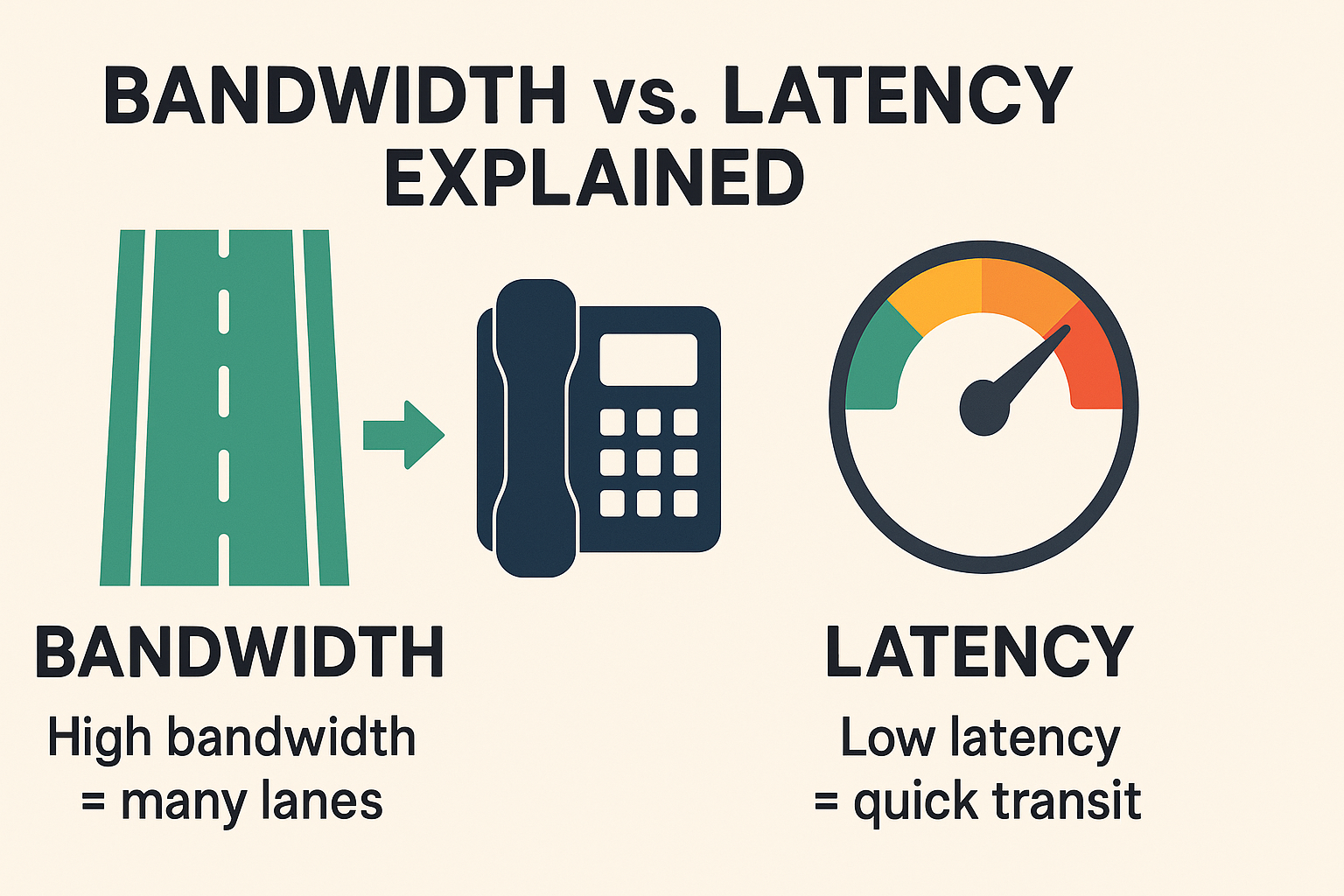
Bandwidth = Highway Lanes
Imagine your internet connection as a highway. Bandwidth is the number of lanes on that highway. The more lanes you have, the more cars (data) can travel simultaneously without causing a traffic jam. If you have a narrow, single-lane road (low bandwidth), and you try to cram a semi-truck (streaming a 4K movie), a minivan (downloading a huge file), and a bicycle (your VoIP call) onto it at the same time, things are going to get ugly. Fast.
For VoIP, which is essentially a tiny, very polite bicycle, it needs its own clear lane. If your internet highway is clogged with other data-hungry activities, your VoIP call gets stuck in traffic. This leads to choppy audio, delayed speech, and that delightful sensation of talking over each other because neither of you can hear the other clearly. It’s like trying to have a nuanced conversation in the middle of a monster truck rally. Not ideal.
Latency = Speed Limit
Anything above 150 ms round-trip starts the awkward “You go… no, you go” dance. Spikes cause echoes, overlaps, and dropped calls.
Now, if bandwidth is the number of lanes, latency is the speed limit, but with a twist. It’s the time it takes for a packet of data (a tiny piece of your voice) to travel from your phone, across the internet, and to the other person’s phone. High latency is like having a conversation with someone who pauses for an uncomfortably long time after every sentence, making you wonder if they’ve fallen asleep or are just judging your life choices. In VoIP, high latency manifests as delays, echoes, and that classic
phenomenon where you both start talking at the same time, then awkwardly stop, then start again. It’s a digital dance of miscommunication, all thanks to high latency.
The Culprits: What Causes Bandwidth and Latency Woes?
So, what turns your internet highway into a digital parking lot and your conversations into a frustrating game of charades? Several common culprits contribute to poor VoIP internet reliance performance:
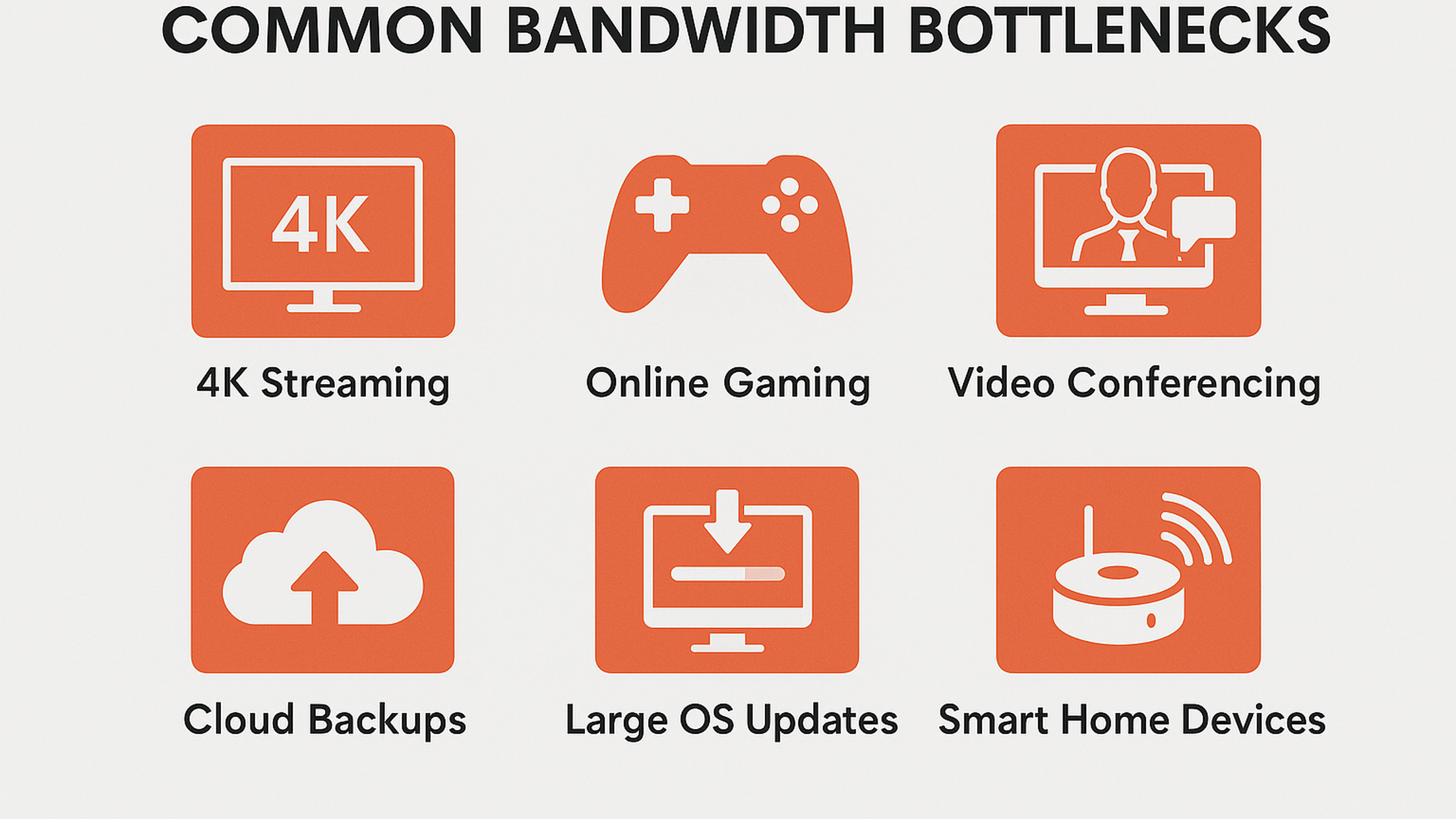
1.Too Many Devices, Too Little Bandwidth: This is the classic family feud. Your kids are streaming 4K cartoons, your partner is on a video conference, you’re trying to make a VoIP call, and the smart fridge is downloading a firmware update. Everyone’s fighting for a slice of that limited bandwidth pie. Your VoIP call, being the smallest slice, often gets gobbled up.
2.Wi-Fi Woes: Wireless is wonderful, until it isn’t. Wi-Fi signals can be flaky, especially if you’re far from your router, have thick walls, or are competing with your neighbor’s Wi-Fi. Think of it as trying to have a conversation across a crowded, noisy room. Packet loss (missing pieces of your voice data) is a common symptom, leading to choppy, robotic-sounding calls. This directly impacts your VoIP call quality.
3.Outdated or Overloaded Equipment: Your router and modem are the unsung heroes of your home network. But if they’re old, cheap, or simply not powerful enough for your internet speed and usage, they can become bottlenecks. It’s like trying to run a marathon in flip-flops – you might get there, but it won’t be pretty. An overloaded router can’t efficiently manage traffic, leading to delays and dropped calls, exacerbating VoIP internet reliance issues.
4.Internet Service Provider (ISP) Issues: Sometimes, it’s not you, it’s them. Your ISP might be experiencing congestion in your area, or their infrastructure might not be up to par. This is the equivalent of a major highway construction project causing delays for everyone. While less common for everyday users, it’s a significant factor for businesses relying heavily on VoIP for business.
5.Background Downloads and Updates: Ever wonder why your call suddenly sounds like you’re talking through a tin can? Check your computer. Is Windows downloading a massive update? Is your gaming console pulling down a new 50GB patch? These background activities can silently devour your bandwidth, leaving little for your VoIP call. This is a prime example of how bandwidth limitations can sneak up on you.
The Digital Drama: Anecdotal Tales of Bandwidth Battles
We’ve all been there. That moment when your VoIP call goes from crystal clear to a garbled mess, and you realize your internet is staging its own reality show, starring your family and their insatiable data appetites. These are the moments that truly test our patience and highlight the raw, unvarnished truth of VoIP internet reliance.
Anecdote 1: The Zoom Call vs. The Fortnite Frenzy
Meet Brenda, a marketing manager trying to close a crucial deal via Zoom. Her voice, usually smooth and persuasive, suddenly sounded like a robot attempting a rap battle. “Can you… hear… me… now?” she’d ask, each word a painful, disjointed effort. Meanwhile, in the next room, her teenage son, Kyle, was deep into a Fortnite match, screaming, “LAG! LAG! I’M LAGGING!” into his headset. The culprit? Kyle’s gaming was devouring every last byte of bandwidth, leaving Brenda’s VoIP call gasping for air. It was a digital cage match, and Brenda’s professional reputation was losing. This is a classic case of VoIP call quality suffering due to bandwidth limitations.
Brenda, a woman of action, stormed into Kyle’s room. A heated discussion ensued, culminating in a temporary truce: no gaming during Mom’s work calls. The next day, Brenda’s call was pristine. Kyle, however, spent the afternoon muttering about “digital oppression.” This anecdote perfectly illustrates the everyday battle against internet congestion.
Anecdote 2: The Netflix Binge and the Choppy Chat
Then there’s poor old George, trying to have a heartfelt conversation with his daughter, who’s studying abroad. “Dad, you sound like… you’re underwater… and… talking… through… a… fan,” she’d say, her voice a mix of concern and exasperation. George, a man who prided himself on his reliable internet, was baffled. He’d just upgraded his speed! What he didn’t realize was that his wife, Mildred, was in the living room, deep into her fifth consecutive episode of “The Great British Bake Off” in glorious 4K. That beautiful, high-definition pastry was eating up all the bandwidth, leaving George’s voice to fend for itself in the digital wilderness. This is a prime example of how VoIP internet reliance can be undermined by seemingly innocuous background activities.
George, after much head-scratching and a brief, ill-fated attempt to reboot the router (which only made things worse), finally discovered Mildred’s baking marathon. A compromise was reached: no 4K streaming during evening calls. The next conversation with his daughter was clear, and George learned a valuable lesson about the hidden bandwidth hogs in his home. This highlights the impact of home network performance on VoIP.
Anecdote 3: The Wi-Fi Wanderer and the Dropped Call
Finally, consider the plight of poor Susan, a remote customer service agent. Her company used VoIP, and she loved the flexibility. One day, she decided to take her laptop to the furthest corner of her house, near the garden, for a “change of scenery.” Mid-call with a very irate customer, her voice started to break up. “I… can’t… hear… you… ma’am… you’re… cutting… out,” she’d stammer, as the customer’s voice became a series of digital squawks. The Wi-Fi signal, weak and struggling through three walls and a particularly dense bookshelf, was dropping packets faster than a clumsy juggler. This is a classic case of Wi-Fi interference affecting VoIP call quality.
Susan, realizing her mistake, scurried back to her desk, closer to the router. The call miraculously cleared up, though the customer remained irate. Susan learned that while flexibility is great, a strong, stable Wi-Fi signal is paramount for reliable VoIP. Sometimes, the simplest solutions are the most effective in managing VoIP internet reliance.
So, your internet connection is acting like a moody teenager, and your VoIP calls are suffering. Don’t despair! You don’t need a degree in network engineering to fix most VoIP internet reliance issues. Here are some simple, actionable solutions that can dramatically improve your VoIP call quality.
Section 3: Taming the Digital Beast: Simple Solutions for VoIP Internet Woes
Solution 1: Upgrade Your Internet Speed (More Lanes on the Highway)
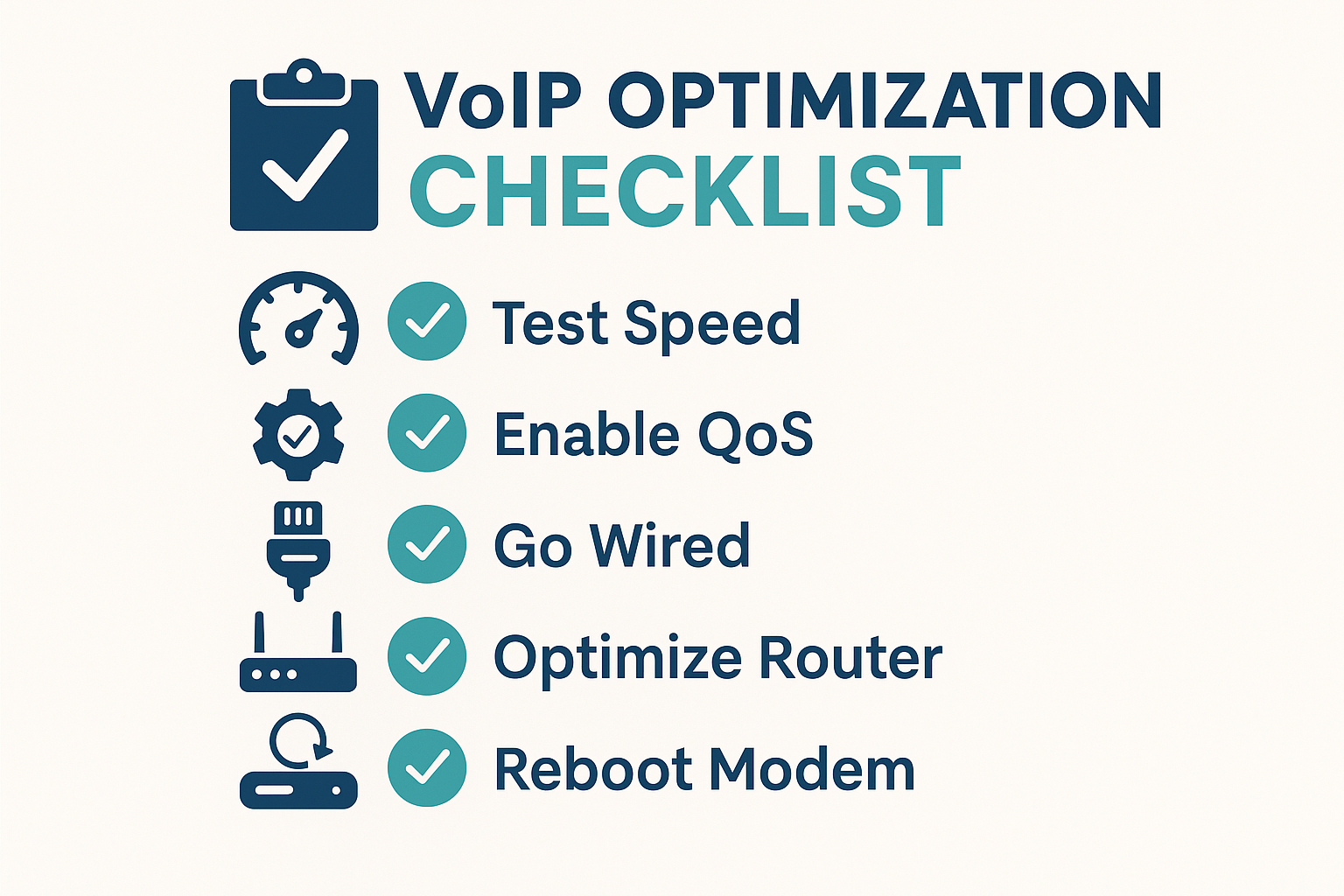
This is often the most straightforward fix. If your internet plan is designed for casual browsing and email, it might not have enough bandwidth to handle VoIP calls, especially if others are using the internet simultaneously. Contact your ISP and inquire about upgrading your internet speed. More bandwidth means more lanes on your digital highway, allowing your VoIP call to cruise smoothly without getting stuck behind a streaming movie.
Anecdotal Example: The Miller family constantly battled choppy VoIP calls. Their internet plan was basic. After upgrading to a faster plan, their calls became crystal clear. Mr. Miller joked, “It’s like we went from a dirt road to a superhighway!” This simple upgrade significantly reduced their VoIP internet reliance headaches.
Recommendation: Check your current internet speed using an online speed test (e.g., Speedtest.net). Compare it to your VoIP provider’s recommendations. For most home users, 25-50 Mbps download and 5-10 Mbps upload is usually sufficient for good VoIP quality, but more is always better, especially with multiple users. For businesses, dedicated VoIP bandwidth is crucial. You can find more information on recommended internet speeds for VoIP on our VoIP Best Practices page.
Solution 2: Prioritize VoIP Traffic with QoS (Quality of Service)
Imagine your router as a bouncer at a very exclusive club. Quality of Service (QoS) is like telling that bouncer, “Hey, let the VoIP calls in first, no matter what!” QoS allows you to prioritize certain types of internet traffic over others. By giving your VoIP packets preferential treatment, you ensure they get through even when your network is busy. This is a powerful tool for managing bandwidth limitations.
Anecdotal Example: Sarah, a small business owner, had frequent dropped calls during peak hours. Her IT consultant configured QoS on her router to prioritize VoIP traffic. Suddenly, her calls were smooth, even when her employees were streaming music or downloading files. “It’s like magic!” she exclaimed. It wasn’t magic; it was smart traffic management, ensuring her VoIP for business remained reliable.
Recommendation: Most modern routers have QoS settings, though they can be a bit technical to configure. Check your router’s manual or search online for guides specific to your model. If you’re unsure, consider consulting with an IT professional. Properly configured QoS is a game-changer for VoIP call quality.
Solution 3: Go Wired (Ethernet is Your Friend)
While Wi-Fi is convenient, it’s inherently less stable than a wired Ethernet connection. Ethernet cables provide a direct, interference-free path for your data. If you’re experiencing consistent issues with VoIP call quality over Wi-Fi, try connecting your VoIP phone or computer directly to your router with an Ethernet cable. It’s like taking the express lane instead of battling traffic on the crowded side streets.
Anecdotal Example: Mark, a remote worker, was plagued by intermittent VoIP issues. He blamed his ISP. His IT friend suggested he try a wired connection. Reluctantly, Mark ran a long Ethernet cable from his router to his desk. The difference was immediate and dramatic. His calls were consistently clear. “Who knew a simple cable could solve so much?” he wondered. This highlights the importance of stable internet connection.
Recommendation: If possible, use Ethernet for your primary VoIP devices. If running cables isn’t feasible, consider powerline adapters, which use your home’s electrical wiring to extend your network. A wired connection significantly reduces Wi-Fi interference and improves VoIP internet reliance.
Solution 4: Optimize Your Wi-Fi (If Wired Isn’t an Option)
If going wired isn’t an option, you can still improve your Wi-Fi performance for better VoIP call quality:
•Router Placement: Place your router in a central location, away from obstructions (thick walls, large appliances) and other electronics that might cause interference (microwaves, cordless phones). Think of it as giving your Wi-Fi signal the best possible vantage point.
•Update Firmware: Router firmware (its internal software) can get outdated. Check your router manufacturer’s website for updates. Newer firmware can improve performance and security.
•Change Wi-Fi Channel: Your Wi-Fi operates on specific channels. If your neighbors are on the same channel, it’s like everyone trying to talk on the same radio frequency – lots of static. Use a Wi-Fi analyzer app (available for smartphones) to find less congested channels and switch your router to one of them. This can significantly reduce Wi-Fi interference.
•Upgrade Your Router: If your router is old, it might not support newer, faster Wi-Fi standards (like Wi-Fi 6) or have the processing power to handle multiple devices. A new, more powerful router can make a world of difference in your home network performance.
Solution 5: Reboot Your Router and Modem (The Universal Fix)
Sometimes, the simplest solution is the best. Your router and modem are mini-computers, and like all computers, they can get bogged down. A simple reboot can clear out temporary glitches, refresh network connections, and often resolve mysterious VoIP internet reliance issues. It’s the digital equivalent of a good night’s sleep.
Anecdotal Example: Emily, a busy mom, was constantly frustrated by her choppy VoIP calls. Her tech-savvy friend told her, “Just unplug your router and modem for 30 seconds, then plug them back in.” Emily, skeptical, tried it. To her astonishment, her calls were suddenly clear. “It’s like magic!” she exclaimed. It wasn’t magic; it was a simple reset, proving that sometimes, the most basic steps are the most effective for VoIP troubleshooting.
Recommendation: Make this your first step when troubleshooting any internet or VoIP issue. It’s quick, easy, and often surprisingly effective. For more advanced troubleshooting, check out our Comprehensive VoIP Troubleshooting Guide.
Conclusion: Don’t Let Your VoIP Be a Drama Queen
Your VoIP system is a powerful tool, but its performance is inextricably linked to your internet connection. It’s a relationship, and like all relationships, it requires a little understanding and occasional TLC. From the invisible forces of bandwidth and latency to the everyday battles against Wi-Fi interference and data hogs, understanding these challenges is the first step to a harmonious digital life.
Don’t let your VoIP internet reliance turn your calls into a frustrating reality show. By implementing these simple solutions – upgrading your speed, prioritizing traffic with QoS, going wired, optimizing your Wi-Fi, or even just giving your router a good old-fashioned reboot – you can transform your choppy, unreliable calls into crystal-clear conversations. You deserve to be heard, and your VoIP deserves to shine.
So, go forth, armed with knowledge and a newfound appreciation for your internet connection. Tame the digital beast, optimize your network, and ensure your VoIP calls are always smooth, clear, and free from the drama of the digital world. Because when it comes to communication, silence isn’t golden; it’s just annoying. And with these tips, you’ll never have to wonder if your boss just said “You’re fired!” or “You’re hired!” because of a bad connection again. Stay connected, stay clear, and keep those conversations flowing!