7 Incredible Ways to Integrate VoIP with Your Existing Systems
Voice over Internet Protocol (VoIP) technology has revolutionized business communication, offering cost savings and enhanced features. However, many businesses in Montreal, Quebec, wonder how seamlessly VoIP can integrate with their existing infrastructure. The good news is that with the right strategies, VoIP can become a powerful extension of your current systems, streamlining workflows and boosting productivity. Let’s explore seven incredible ways to achieve this integration, featuring anecdotal examples from businesses right here in Montreal who have leveraged the digicom service center.
Integrate VoIP with Existing Systems: The Hands‑On 2025 Playbook
“Great integrations are invisible—your team just works faster.”
— Everyone who’s ever escaped a legacy PBX
Migrating to the cloud is only step one. The real magic happens when your new Voice over IP (VoIP) service talks to the tools you already rely on—your old PBX, CRM, ERP, fax machine, even the door intercom. Do it right and you can:
- Cut overall phone spend by 50 – 75 %. :contentReference[oaicite:0]{index=0}
- Boost agent productivity thanks to instant CRM screen‑pops. :contentReference[oaicite:1]{index=1}
- Roll out new features globally in minutes, not weeks.
Sound good? Grab a coffee, because this guide walks you through everything—from a 10‑minute readiness check to a phased rollout plan and eco‑bonuses your accountant (and the planet) will love.
1 · Why Integration Matters (and Why Phones Are Still Cool)
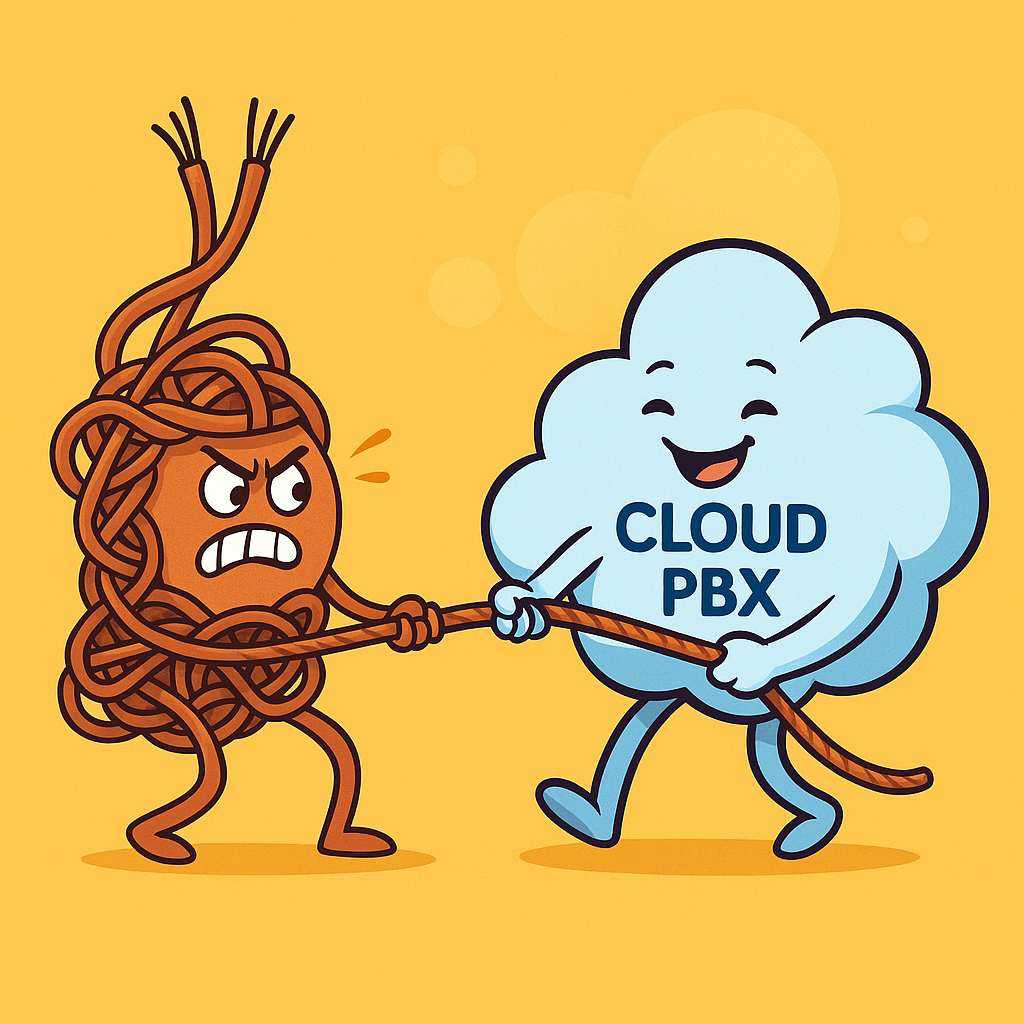
Traditional phone lines are like flip phones in a smartphone world—familiar, but clunky and pricey. Integrated VoIP is the smartphone: calls, video, chat, and data in one neat app. Here’s how those worlds compare:
| ‑ | Old‑School Telephony | Integrated VoIP |
|---|---|---|
| Long‑distance fees | $ per minute | Flat rate / free |
| Customer data | Buried in CRM | Pops up automatically |
| Adds, moves, changes | Book a technician | Click “Save” |
| Analytics | Manual exports | Real‑time dashboard |
| Remote work | VPN gymnastics | Any device, anywhere |
2 · The 10‑Minute “Are We Ready?” Self‑Assessment
- Internet Health — ≥100 kbps per simultaneous call, jitter < 30 ms.
- Network Gear — Routers/switches with QoS and SIP‑friendly firmware.
- Legacy Inventory — List every POTS line, fax, door‑phone, paging amp, PBX slot card.
- Core Apps — CRM, ERP, Teams/Slack, help desk—rank them by “needs to talk to phone”.
- Compliance — HIPAA, PCI‑DSS, GDPR, or CRTC 9‑1‑1? Flag early.
- People Factor — Who owns phones? Who owns the CRM? Get them talking now.
- Culture Check — Are staff comfortable with soft‑phones, or do they love their handsets?
- Budget Reality — Capex vs. Opex, hidden porting fees, E 911 surcharges.
- Timeline — Busy season, holidays, mergers—avoid big cutovers during chaos.
- Success KPIs — Pick three: cost per call, average handle time, CSAT, uptime, carbon footprint.
3 · Choose Your Integration Path
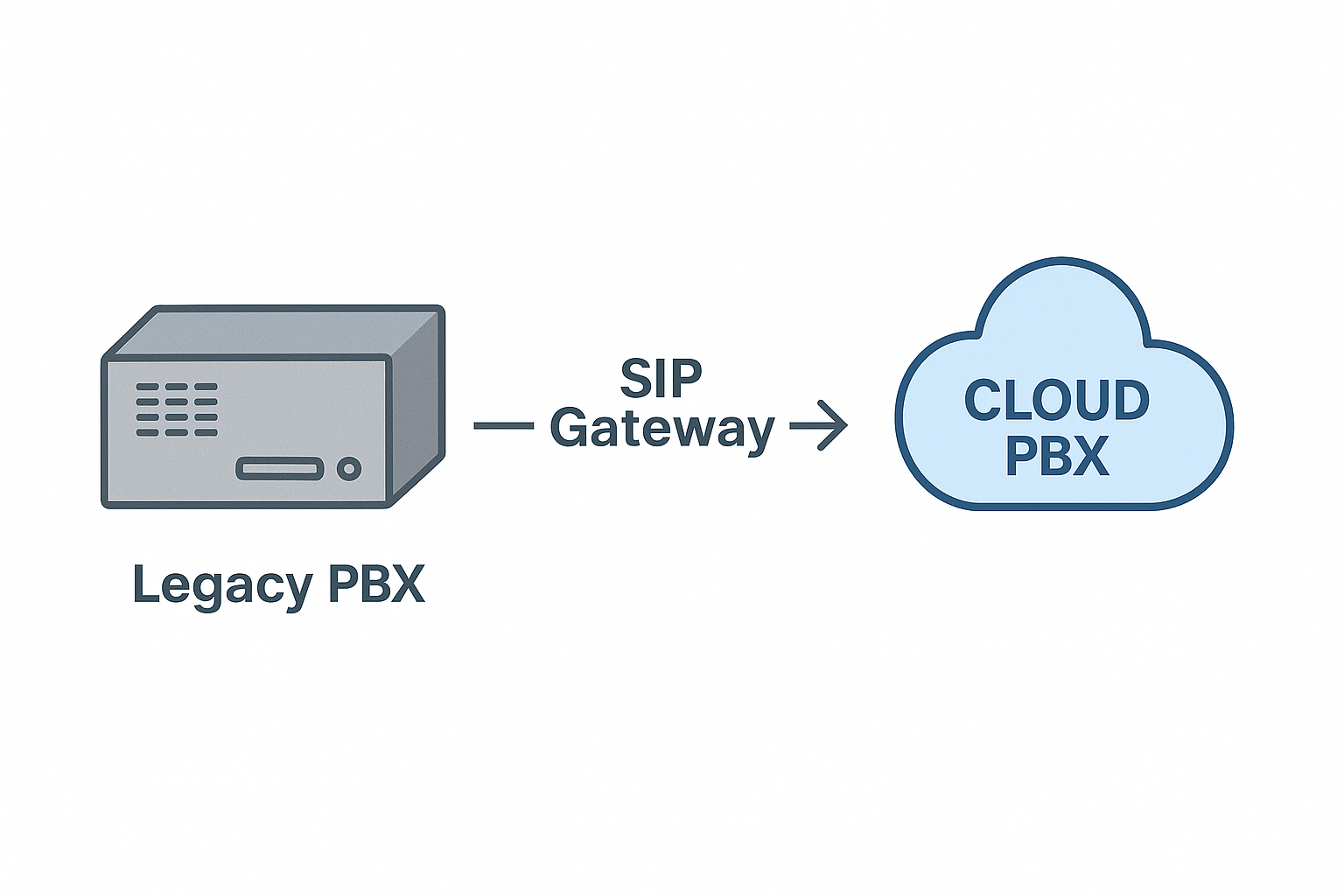
3.1 SIP Trunks to a Legacy PBX
Keep your on‑prem PBX but replace the pricey copper trunks with VoIP SIP channels. Quick win if your gear is under warranty and staff love their desk phones.
3.2 Hybrid VoIP Gateways
Slip a gateway between old handsets and the cloud. Good for warehouses or remote branches where ripping out cabling is overkill.
3.3 Full Cloud PBX
Park the entire call brain in the cloud—no server closet, automatic updates, instant fail‑over. Perfect for multi‑site or remote‑first teams.
3.4 Overlay Apps (a.k.a. “BYO Everything”)
Skip desk phones entirely—run VoIP apps on laptops, mobiles, and tablets. Great for start‑ups and field teams.
4 · Seven High‑Impact Integrations (with Pitfalls & Pro Tips)
4.1 Legacy PBX & Desk Phones
Why it rocks: Extend the life of pricey handsets while cutting carrier costs.
Watch for: Unsupported codecs and flaky firmware. Always update firmware before porting numbers.
4.2 CRM Screen‑Pops & Click‑to‑Dial
When the phone rings, the customer’s record opens—no more “Can I have your account number again?”. Businesses report up to 20 % faster issue resolution after enabling screen‑pops. :contentReference[oaicite:2]{index=2}
Pro tip: Map both inbound and outbound calls to CRM objects (tickets, deals, donations).
4.3 UC & Team Chat Platforms
Plug VoIP into Microsoft Teams, Slack, or Google Chat to keep chatter + calling in one window. Slash “Alt‑Tab” fatigue and keep IT security happy—one set of credentials, not three.
4.4 ERP & Inventory Systems
Yes, the warehouse can have phone‑powered barcode scanners that auto‑dial suppliers when stock hits zero. Use REST or Webhooks to push call events into ERP and pull order data back to agents.
4.5 Contact‑Centre & Help‑Desk Suites
Zendesk, Freshdesk, or Salesforce Service Cloud all play nicely with SIP or WebRTC. Expect lower average handle times when agents see caller history mid‑ring.
4.6 Fax & eFax Bridging
Some industries (looking at you, healthcare) still love fax. Use a cloud fax connector: physical machine ↔ Analog Telephone Adapter (ATA) ↔ SIP fax trunk—no more busy tones.
4.7 Physical Security & IoT Devices
Door intercoms, panic buttons, overhead paging—if it can dial a phone number, it can ride your VoIP platform. Just give each device its own extension and rule.
Pitfall Parade:
- “Forgotten” analog devices (e.g., credit‑card readers).
- Fire‑alarm panels sometimes share phone lines—never port those numbers without a fire‑marshal sign‑off!
5 · Vendor & Tool Cheat‑Sheet
| Scenario | Typical Tools | Notes |
|---|---|---|
| SIP Trunking | Twilio Elastic SIP, Telnyx, Voxtelesys | Check for Canadian 9‑1‑1 compliance |
| Cloud PBX | RingCentral, 8×8, Nextiva | RingCentral tops 2025 lists for integrations :contentReference[oaicite:3]{index=3} |
| CRM | HubSpot Calling, Zoho PhoneBridge, Salesforce CTI | Free tiers often limit call minutes |
| UC & Chat | Teams Phone, Slack Huddles‑SIP, Google Voice | Verify E 911 routing for mobile staff |
| Contact Centre | Talkdesk, Five9, Aircall | API access matters for real‑time dashboards |
| Fax | eFax Corporate, SRFax (Canadian data‑centres) | TIFF‑B compression beats JPEG for legibility |
| IoT & Security | Algo SIP Doorphones, CyberData SIP speakers | PoE switches keep installs tidy |
6 · Four‑Phase Roll‑Out Plan
- Discovery (Week 0‑2)
- Audit all numbers, handsets, carrier contracts.
- Run network VoIP stress test (simulate 150 % peak calls).
- Pilot (Week 3‑4)
- Port a single main line.
- Give five “VoIP buddies” soft‑phones + headsets.
- Gather NPS feedback within 48 h.
- Parallel‑Run (Week 5‑6)
- Dual‑ring old and new systems.
- Migrate CRM click‑to‑dial.
- Train front‑desk and power users.
- Cut‑Over & Optimisation (Week 7‑8)
- Port remaining numbers overnight.
- Decommission PRI/T1 circuits.
- Review call reports at Day 30, 60, 90. Iterate routing, add automation (e.g., after‑hours IVR).
7 · Security & Compliance Guardrails
- Transport Security: TLS 1.2 for SIP signalling, SRTP for media.
- Geo‑Blocking: Deny SIP traffic from countries you don’t sell to.
- Role‑Based Access: Staff don’t need “delete recordings” = don’t give it.
- Audit Trails: Keep 18‑month logs for CRTC or HIPAA audits.
- E 911: Verify the dispatchable location for every soft‑phone, especially remote workers.
8 · Measuring Success (ROI Dashboard)
| KPI | Pre‑VoIP | 60 Days Post | Target |
|---|---|---|---|
| Monthly Telco Spend | \$1,200 | \$480 | ‑60 % |
| Average Handle Time | 6 min 30 s | 5 min 10 s | ‑20 % |
| First‑Call Resolution | 67 % | 82 % | +15 pp |
| Uptime | 98.5 % | 99.95 % | ≥99.9 % |
| CSAT | 4.1 / 5 | 4.6 / 5 | ≥4.5 |
9 · Future‑Proofing & Scaling
- 5 G & Wi‑Fi 7 will widen the no‑desk‑phone trend.
- AI Voice Intelligence—real‑time sentiment scoring and auto‑generated call summaries.
- WebRTC Everywhere—embed click‑to‑call into your website without plugins.
Fun fact: The average SME replaces hardware PBX every 6 years. Cloud PBX auto‑upgrades weekly.
10 · Mini Case Study — Montreal Dental Clinic
Problem: Four PSTN lines, no CRM integration, missed after‑hours emergencies.
Solution: SIP trunks to existing PBX → Phase‑2 cloud PBX with Teams integration.
Results (90 days):
- 71 % drop in telecom costs (from \$820 to \$240 monthly).
- CSR “time spent on hold” fell from 9 mins/day to 1 min/day.
- Two emergency calls auto‑routed to on‑call dentist—saved a molar, maybe a marriage.
11 · Top Troubleshooting Pitfalls (and Fixes)
| Symptom | Likely Cause | Quick Fix |
|---|---|---|
| Choppy audio | Jitter > 40 ms | Enable QoS or VLAN tagging |
| One‑way audio | NAT/firewall hair‑pinning | SIP ALG off; use STUN/TURN |
| Echo on analog fax | Wrong impedance | Swap ATA or lower TX gain |
| CRM call‑log missing | API token expired | Refresh token, enable webhooks |
| Doorphone won’t ring group | Wrong dial plan | Add device extension to ring group 600 |
12 · Budgeting & Hidden Costs
- Number Porting: \$0–\$30 per DID (free if you sweet‑talk sales).
- E 911 Fees: Typical \$1.50/line/month in Canada.
- Pro Services: Expect \$150–\$200/hr for complex CRM mapping.
- Analytics Add‑Ons: Hot desking, call whisper, AI notes—sometimes tiered.
- Training: Budget two sessions ×1 hour → coffee + donuts ≈ morale boost.
13 · Driving Adoption (The Human Side)
- Tease — “Goodbye busy signals” teaser poster in the break room.
- Train — Lunch‑and‑learn demo; record video for late shifters.
- Celebrate — Cut‑over pizza party and “Best Hold Music” vote.
- Reward — Call‑quality badge in Slack for top power user.
14 · Glossary (Speak Like a Telecom Pro)
- ATA — Analog Telephone Adapter (turns fax/phone into VoIP).
- BYOD — Bring Your Own Device/Desk phone.
- Codec — Method of compressing voice (e.g., G.711, Opus).
- DID — Direct Inward Dial number.
- Jitter — Variation in packet arrival time (the enemy of clear audio).
- QoS — Quality of Service; network rules that prioritise voice.
- SIP — Session Initiation Protocol—the signalling “language” of VoIP.
- SRTP — Secure Real‑Time Protocol (encrypted audio).
- WebRTC — Browser‑based real‑time communication.
- Soft‑Phone — Phone app for PC/mobile.
- Trunk — Bundle of phone channels.
- UCaaS — Unified Communications as a Service (cloud PBX + chat + video).
15 · Green Bonus: VoIP Shrinks Your Carbon Footprint
VoIP centralises hardware in efficient data‑centres and cuts technician truck‑rolls. A recent Tech.co study pegs potential cost savings at up to 75 %—less money and fewer carbon kilometres. :contentReference[oaicite:4]{index=4}
Quick Eco‑Wins
- Lower heat output in the server closet.
- Fewer hardware swaps—firmware updates instead of landfill.
- Paperless faxing (PDF beats printouts).
- Smaller office footprint via hybrid work.
16 · Frequently Asked Questions (FAQ Schema)
Q1. Can I keep my existing phone numbers?
Yes—porting usually takes 7‑14 days; plan a temporary forward.
Q2. Will 9‑1‑1 still work?
Absolutely. Just make sure every device has a correct “dispatchable location” in the portal.
Q3. Is my internet good enough?
Use 100 kbps per call as a rule of thumb, plus QoS on your router.
Q4. What if the power goes out?
Cloud PBX keeps ringing; send calls to mobiles or voicemail‑to‑email.
Q5. How do I convince my CFO?
Show the KPI table—60 % savings and happier customers tend to seal the deal.
17 · One‑Page Next‑Steps Checklist
- Run the readiness self‑assessment.
- Short‑list three SIP providers → request test numbers.
- Estimate TCO with the hidden‑cost list.
- Agree on KPIs (cost, uptime, CSAT).
- Draft the four‑phase migration Gantt.
- Order headsets (never skimp on audio!).
- Start port paperwork early.
- Pilot → survey → iterate.
- Company‑wide cut‑over + hold‑music dance‑off.
- Review ROI at Day 60; tweak routing, add AI analytics.
Internal Links
External Links (authority)
- https://www.vonage.com/resources/articles/is-voip-cheaper-than-other-phone-systems/
- https://nobelbiz.com/blog/cost-savings-of-voip-in-2023-for-call-centers/
- https://tech.co/business-phone-systems/voip-statistics
- https://www.compuvoip.com/blogs/boost-productivity-with-crm-phone-system-integration/
More on the integration of VoIP systems…
Unified Communications: Bridging the Gap
One of the most significant advantages of modern VoIP systems is their ability to unify various communication channels. Instead of juggling separate phone lines, email inboxes, and messaging platforms, businesses can integrate these into a single, cohesive system. For instance, “Boulangerie Bonjour,” a popular bakery in Montreal, integrated their VoIP system with their customer relationship management (CRM) software. Consequently, when a customer called to place a catering order, the system automatically pulled up their past order history, enabling a more personalized and efficient interaction. Furthermore, this integration allowed Boulangerie Bonjour to send automated SMS confirmations and delivery updates through the same platform, improving customer satisfaction.
CRM Integration: Powering Customer Relationships
Integrating your VoIP system with your CRM platform can provide invaluable insights into customer interactions. Every incoming and outgoing call can be logged directly within the customer’s profile, providing a comprehensive history of communication. “Boutique Chic,” a clothing retailer on Sainte-Catherine Street, implemented this integration. As a result, their sales team could instantly access past conversations, understand customer preferences, and offer more relevant product recommendations during calls. Moreover, call analytics integrated with their CRM helped Boutique Chic identify peak call times and optimize staffing levels at their digicom service center to ensure efficient customer support.
Email Integration: Streamlining Correspondence
VoIP systems can also integrate seamlessly with email platforms. For example, voicemail messages can be automatically transcribed and sent to email inboxes, allowing employees to review them conveniently without needing to dial into a separate voicemail system. “Atelier d’Art Créatif,” a local art studio in the Mile End neighborhood, found this feature particularly useful. Because their instructors were often busy conducting classes, they could quickly scan their email for important messages and call back at their convenience. Additionally, some advanced VoIP systems allow for click-to-call functionality directly from email clients, further streamlining communication.
Fax over IP: Modernizing Document Sharing
While email has largely replaced traditional faxing, some industries still rely on it for secure document exchange. Fortunately, modern VoIP systems often include Fax over IP (FoIP) capabilities, eliminating the need for dedicated fax lines and bulky machines. “Cabinet Juridique Laval,” a law firm with an office in Montreal, adopted FoIP through their VoIP provider. Consequently, they could send and receive confidential legal documents securely and efficiently through their existing internet connection. This not only reduced their operational costs but also simplified their document management processes. For businesses still needing a reliable fax service Montreal, VoIP-integrated FoIP offers a modern and cost-effective solution.
Mobile Integration: Staying Connected on the Go
In today’s mobile-first world, seamless integration between desk phones and mobile devices is crucial. VoIP systems often offer mobile apps that allow employees to make and receive calls using their business phone numbers on their smartphones. “Agence Immobilière Vieux-Montréal,” a real estate agency operating in Old Montreal, equipped their agents with VoIP mobile apps. Therefore, their agents could stay connected with clients and colleagues while on the go, ensuring they never missed important calls. Furthermore, features like call forwarding and presence management ensure that calls are routed efficiently, regardless of an employee’s location. This is a significant advantage offered by a reliable fax service Montreal provider that also handles advanced VoIP solutions.
Collaboration Tools: Enhancing Teamwork
Many VoIP platforms integrate with popular collaboration tools such as instant messaging, video conferencing, and screen sharing. “Développement Web Plateau,” a web development company in the Plateau Mont-Royal area, leveraged these integrated features to enhance team communication and project collaboration. For instance, during a client meeting, they could easily transition from a voice call to a video conference with screen sharing to present website mockups. Moreover, integrated instant messaging allowed for quick communication between team members without leaving the VoIP platform, boosting overall productivity. This level of integration is a hallmark of a comprehensive digicom service center.
Analytics and Reporting: Gaining Business Intelligence
Finally, advanced VoIP systems offer robust analytics and reporting capabilities. Businesses can track call volumes, call durations, agent performance, and other key metrics to gain valuable insights into their communication patterns. “Distribution Alimentaire Métro,” a food distribution company in Montreal, used VoIP analytics to identify peak calling times for their customer service department. As a result, they could adjust staffing levels accordingly, reducing wait times and improving customer satisfaction. Furthermore, call recording features (with appropriate consent) can be used for quality monitoring and training purposes, contributing to a more efficient and professional operation. When considering a fax service in Montreal, it’s wise to also inquire about their VoIP analytics capabilities.
Conclusion
In conclusion, integrating your VoIP system with existing business infrastructure offers a wealth of opportunities for businesses in Montreal to enhance efficiency, improve customer relationships, and streamline operations. From unifying communication channels and empowering sales teams with CRM integration to modernizing document sharing with FoIP and fostering seamless mobile connectivity, the benefits are undeniable. Moreover, the integration with collaboration tools boosts teamwork, while insightful analytics provide valuable business intelligence. By strategically implementing these integration methods, Montreal businesses can unlock the full potential of their VoIP systems and gain a significant competitive edge in today’s dynamic market. Embracing these advancements, especially through a reliable provider like a comprehensive digicom service center is a smart move towards future-proofing your business communication strategy.
Author Bio:
Main Street Digicom (https://mainstreamdigicom.com/) is a leading provider of innovative communication solutions for businesses of all sizes. With years of experience in the telecommunications industry, Main Street Digicom specializes in delivering reliable and scalable VoIP services, unified communications platforms, and advanced features designed to enhance business productivity and customer engagement. Our team of certified experts provides comprehensive support and tailored solutions to meet the unique needs of businesses in Montreal and beyond. We are committed to helping our clients leverage the power of modern communication technologies to achieve their business goals.